
Add clients you've already onboarded and verified — they can complete the TaxStatus consent process in under 30 seconds, with minimal friction on their end.
Because you've already validated your clients' identities in accordance with your firm's policies, TaxStatus lets you attest to that existing relationship rather than starting from scratch.
Before You Begin
Make sure you have the following ready:
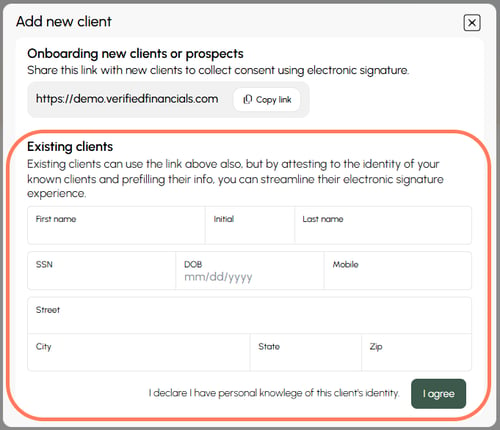
- Prepare a list of clients you want to add (Name, SSN, Birth Date, Mobile phone, Address)
- Your firm's identity verification records on file (you'll be attesting to these)
Note: For your attestation to remain valid, the mobile number and birth date you provide must match what your client enters into the consent link.
Method 1: Add Multiple Clients
Use this method when adding several clients at once.
- From your Home screen or Dashboard, click the Client consent options button.

- In the pop-up, choose to save your client time by upload a list of prefilled data.
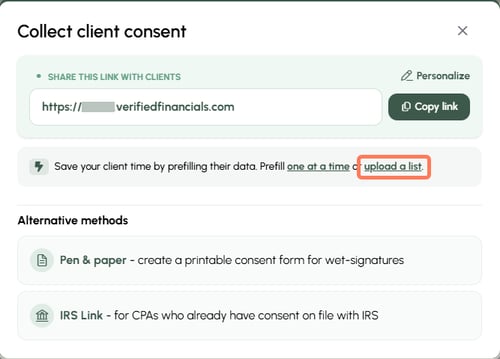
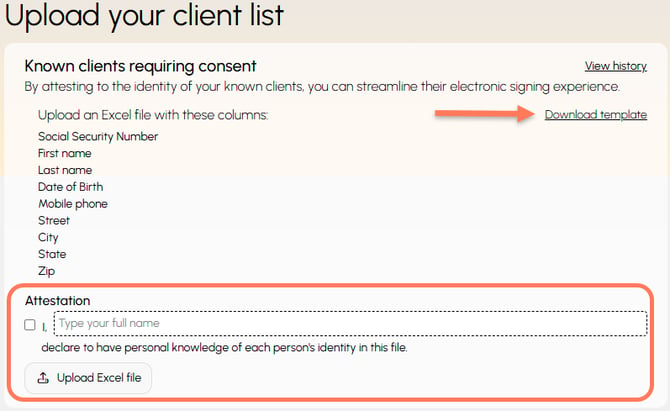
- If you are new to this process, you can download the template. Otherwise, attest and upload. Confirm that you know and have verified the clients on your list, then upload the completed spreadsheet.
- Match fields to upload information properly, then click Import.
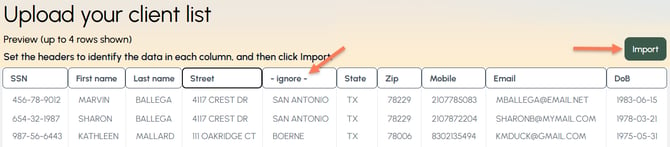
You will see a confirmation of the number of rows successfully uploaded.
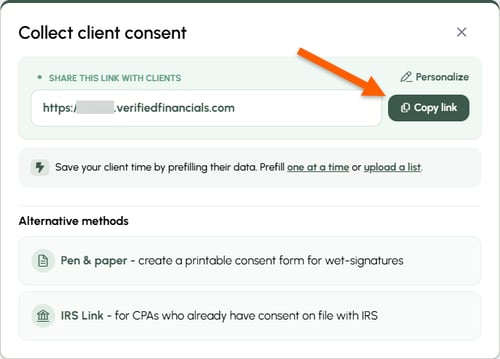
- Send your consent link. Find your link in the Client consent options button. If the confirming information your clients enter matches the information you provided, the consent process takes less than 30 seconds to complete!
Method 2: Add a Single Client
Use this method when adding one client at a time.
-
Click the Client consent options button.

-
In the pop-up, choose to save your client time by prefilling one at a time.
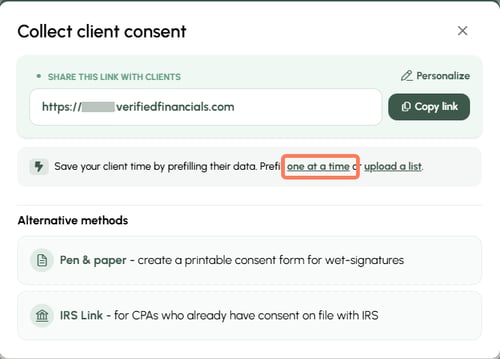
- Complete and attest. Provide the required information and confirm that they are a known, verified client.
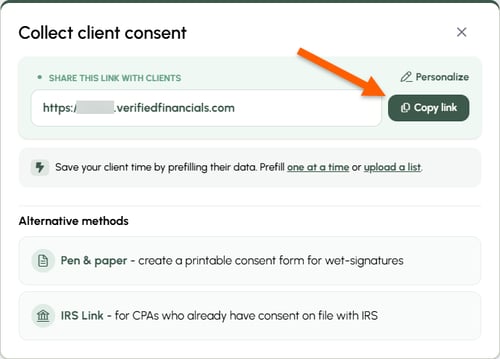
- Send your consent link. Find your link in the Client consent options button. If the confirming information your clients enter matches the information you provided, the consent process takes less than 30 seconds to complete!
Visit our Onboarding Portal for email templates for reaching out to clients.
After Clients Receive the Link
Once clients click your consent link, they'll complete a short authorization flow on their own - no further action is needed on your end.
The IRS will review each request to verify and authorize the release of information. The expected date for data release will be posted on your dashboard.