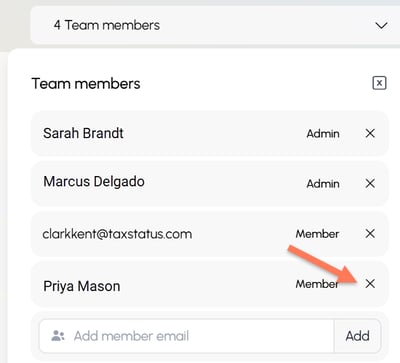
Including your team members on your workspace gives them visibility into shared client information. All clients default to being members of your Firm Workspace when consent is provided and are visible to any team member granted access to that workspace.
Tips:
- On each workspace, use the dropdown menu to see the team members with access to that workspace.
- Only an Admin for a given workspace can add or remove team members from that workspace.
- Our system will not send an invite or notification to team members who are added/removed.
ADD a team member
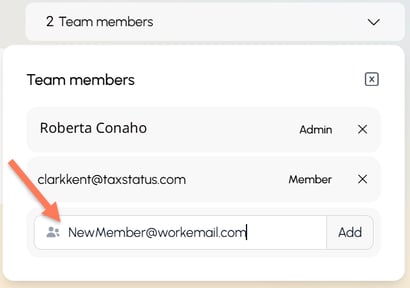
If you are a workspace Admin, you can add a new team member. Simply type their email address and click Add. Tell them to log in to the TaxStatus platform at https://secure.taxstatus.com. We will not send any notifications to your team members.
The first time each team member tries to view client information, they'll be required to verify their identity by providing a government ID and taking a live selfie. This is a security measure to confirm that each team member uses their own unique login credentials.
Change between Member and Admin
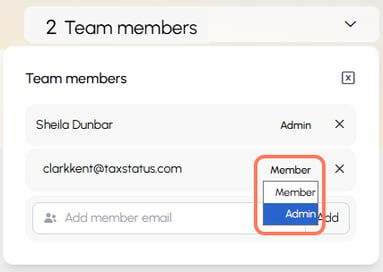
New team members are defaulted to Member access level. This means they cannot adjust team members within that workspace. Use the dropdown menu to give them Admin privileges. Admins may add/remove team members.
REMOVE a team member
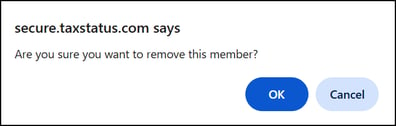
Click the X next to the team member's name and confirm their removal. This removes them from a specific workspace. If the team member leaves your firm, you will want to confirm that they are removed from all workspaces.