If you are a tax professional, you may get power of attorney forms or tax information authorization forms signed by your clients and submit them to the IRS outside of the TaxStatus system. Our system can leverage your professional account to ingest records already under your CAF authorization if you also have TDS access. To search for active clients under your IRS tax pro account, follow these simple steps.
If you have not yet linked your professional account, see the information provided at the bottom of this article.
Access Client Records
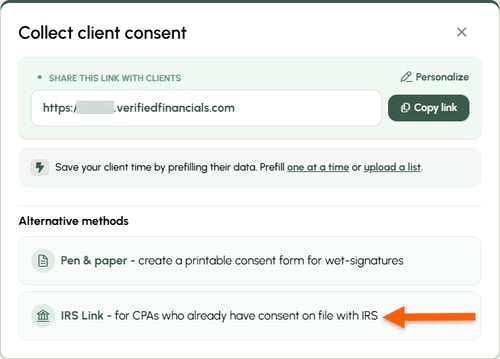
From your Home screen, click Client consent options. Then, choose IRS link.

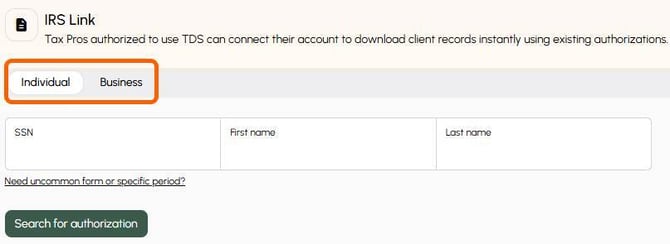
Enter the SSN/EIN, taxpayer name, and search. All available records covered by your CAF authorization will appear on the left of your screen. The taxpayer will also be added to your Firm Workspace.
Link your CAF
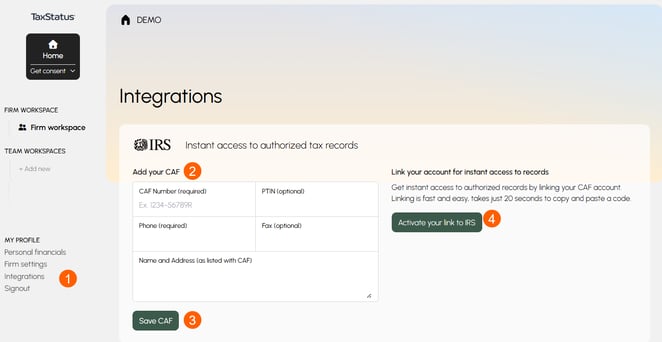
If you had not previously linked your tax professional account, you can use the steps provided within the TaxStatus system to accomplish this. Visit Integrations, add your CAF details, save CAF, and activate your IRS connection.
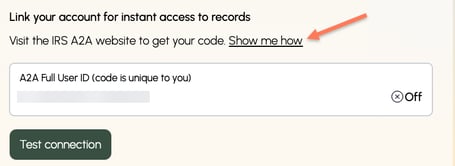
You will be provided with instructions if needed. Remember to paste the Full User ID generated by the IRS into the TaxStatus system.