
You can easily download a spreadsheet that shows which clients you have in your TaxStatus system, when they provided consent, and if the IRS has delivered records for them. This list reflects your clients as of the day you download it, so you can download it again any time to find the latest status.
Notes
- This feature is only available if at least one of your clients has completed consent.
- If none of your clients have consented, see Related Articles to find the list of pre-verified clients.
Why Download Your Client List?
- Check how many clients you have in TaxStatus.
- See who has consented and who hasn't.
- Keep a record of the clients you've pre-verified.
- Find the date each client consented.
- Track when you need to collect consent again.
Download Your Client List
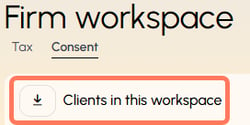
From your home page, click Workspaces, then download the Client in this workspace.
What information is provided?
The resulting spreadsheet has three tabs to show the number of clients
- who have consented with records available from the IRS.
- who have consented, and no records are yet available from the IRS.
- who have not yet consented. These are clients your team has pre-verified. Check your firm's internal messaging systems to determine if the consent link was sent to these clients.

For clients who consented using the electronic signature link, the most recent signed year and the last tax year permitted are recorded on the spreadsheet. This information is not recorded for clients who use wet-signature forms - please refer to the signed forms for this information.
The downloaded spreadsheet is accurate at the time of download. If you are looking for updates, simply download Clients in this workspace again.
Related Articles
- View Known Clients Already Uploaded - This shows you how to access a list of pre-verified clients when you have not actually consented any clients yet.
- Add Known Clients
- Getting Consent