
After a client consents, the IRS reviews the request before releasing records. Skipping the IRS queue lets your client review and approve a request directly on their IRS website.
Why would I want to skip the queue?
- Your client would like you to have their financials right away.
- You have a client meeting coming up.
- The IRS review is taking longer than usual.
- You have a time-sensitive request.
Before you begin
- Your client has completed consent.
- Your client has an ID.me account or would like to create one.
How to Skip the IRS Queue
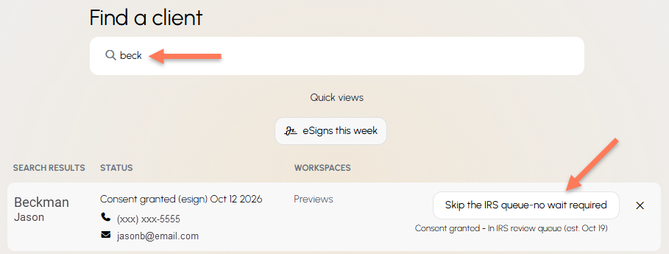
From your TaxStatus Home page, search for the client and click Skip the IRS queue.
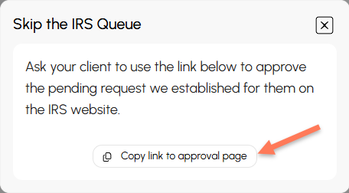
Copy and send the approval link to your client - this link is unique to this particular client.
Tip
Include this one-pager along with the link. It walks your client through each step of the experience described below.
What Your Client Will Do
- Open the link, see their assigned TaxStatus specialist (Stephanie or Christine), and click Continue.
- Sign in with ID.me.
- Scroll to Actions and select Approve/Reject.
- Check both boxes within the Review Request section, and click Approve Request.
- They will see a confirmation message that the request was approved.