
You've already validated your clients' identities in accordance with your firm's policies, and you have uploaded a list of these clients to the TaxStatus system. How do you see which clients are on that list so you can track who still needs to provide consent?
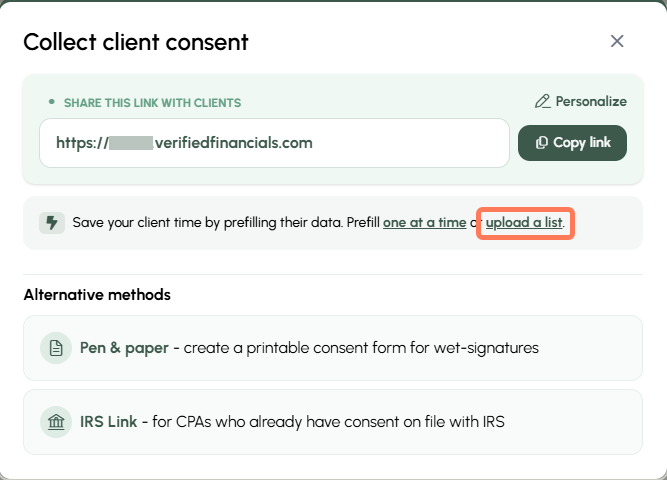
- From your Home screen or Dashboard, click the Client consent options button.

- In the pop-up, choose upload a list.
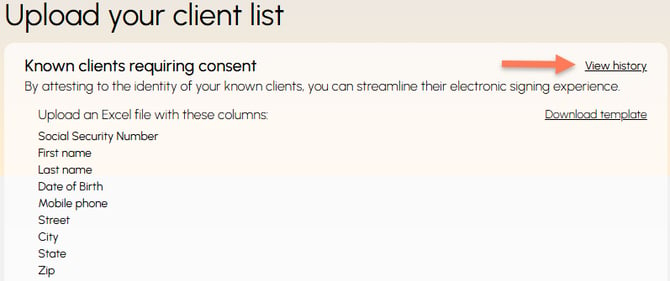
- View history to see a list of the clients you and your team members have uploaded.
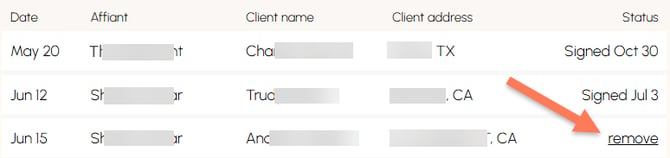
- Your list of known clients will display the upload date, the person who attested to validating their identities, the client name, client city/state, and the consent status. If consent has been granted, the date will be indicated. If the client has not yet consented, you will have the option to remove them as a known client.
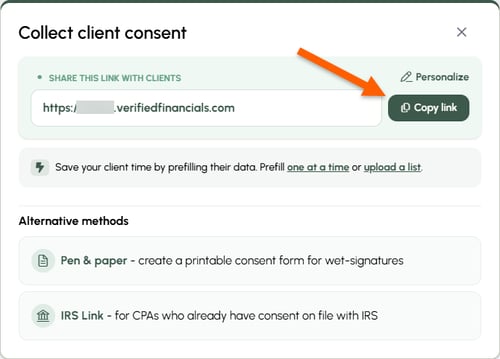
Send your consent link. Find your link in the Client consent options button. If the confirming information your clients enter matches the information you provided, the consent process takes less than 30 seconds to complete!
What if the information I provided for a Known Client turns out to be wrong?
When you add a Known Client, you provide their SSN, legal first and last name, date of birth, and address. Our system assumes this information is accurate.
If you discover that one or more of these data points is incorrect, you can correct it and keep your client's consent experience Fast Tracked.
To correct the information, remove the incorrect client instance and re-add the client with the correct information.
Remove a client:
- Remove the incorrect client instance - you have two options to accomplish this
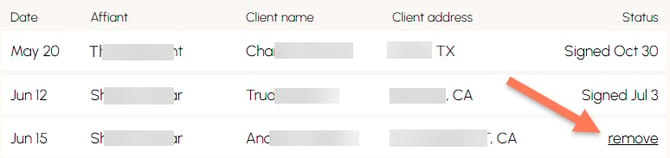
- Re-add the client with the correct information, following the steps in the Add Known Clients article.