
Welcome to TaxStatus!
You have logged in to secure.taxstatus.com and set up your firm. Now, it's time to get working. Follow the 3 simple steps below.
-
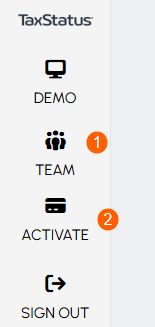
Add your team. Enter each team member's work email address and click Add Team Member.
- Activate your subscription. Choose from the available plans and add a payment method. This unlocks the next step.
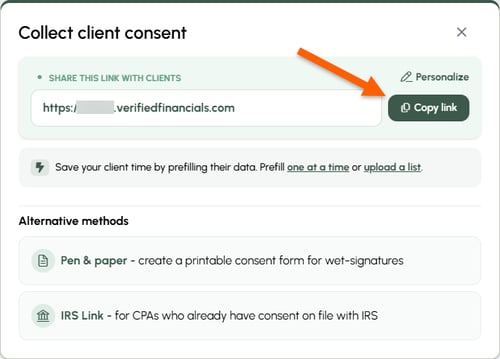
- Send your consent link. Click Client consent options to copy your link. Email or text it to your clients.

Want to dive deeper?
Follow these optional steps to optimize your client's experience and your own workflow.
- Personalize your consent link
- Need help describing TaxStatus to your clients? Check out our library of email templates.
- Adjust team member roles so they can add/remove others.
- Pre-fill known client information if you have already verified their identities - clients consent in 30-seconds or less.
Tips
- For married filing jointly (MFJ) couples: As a best practice, get consent from both spouses. You can then see each spouse’s reported income streams in their individual profile and bring them together in a householded Financial Baseline Report.
- Explore the sample output: Click Demo in the left-hand navigation of your dashboard to view all the sample reports.
Related Articles