
You can remove a client from your TaxStatus system at any time. This works the same way whether you are removing a client who has already consented or if you are withdrawing an attestation for a known client whose consent is still pending.
Why would I want to remove a client?
You might want to remove a client if:- They're no longer a client of your firm.
- You no longer wish to attest to this client's identity.
- The information originally provided in an attestation needs to be corrected (see Edit a Known Client for the full correction workflow).
Before You Begin
Make sure you have the following ready:
- The client's name, so you can find them quickly in your client list.
- Confirmation of whether you're removing them for good or removing them in order to re-add them with corrected information.
Once a client is removed, their information is no longer available to you or anyone in your firm. The only way to get a client back is to request consent again.
Remove the Client
These steps are the same whether the client has already consented or is still waiting to do so.
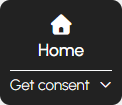
- Start on your Home screen.
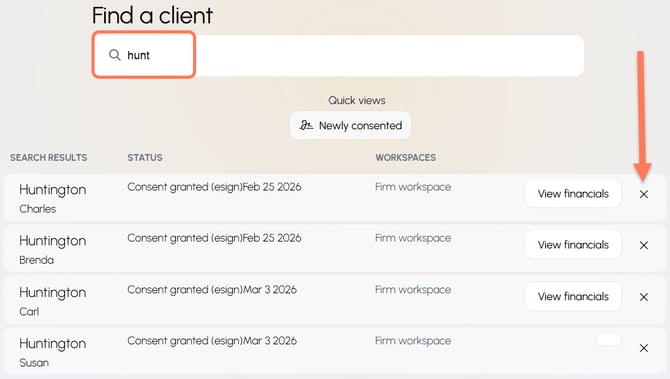
- Search for the client you'd like to remove. You can search by first name, last name, partial name, household name, nickname, tag, or tax ID number.
- Click the X next to the client you would like to delete.
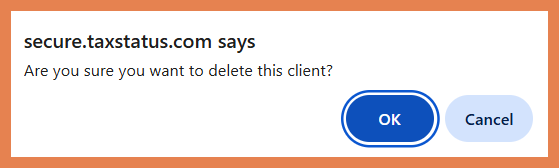
- Confirm the removal. This step removes the client
Tips
-
- This process deletes a client from your entire TaxStatus system. This impacts you and every team member at your firm.
- Removal takes effect immediately, so double-check you have the right client selected before confirming.
- The only way to recover a deleted client is to obtain their consent again.
What Happens Next
- Removing them for good? You're done. Their information will no longer be available to you or anyone at your firm.
- Removing them to correct an attestation? Re-add them right away with the corrected details. See Add Known Clients to add this single client or to add them as part of a list of clients. Your client can revisit your original consent link and enter their corrected mobile number and DOB to Fast Track their consent.
- Revoke from the IRS side: If your client would like to revoke their consent on file with the IRS, please have them email privacy@taxstatus.com, and our team will provide them with bespoke instructions.