
Before You Begin
- Make sure you have the new payment method available.
Update your payment method
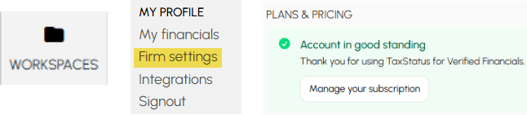
From your Home screen, navigate as follows:
Workspaces >> Firm Settings >> click Manage your subscription.
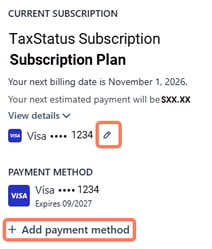
Change your payment method.
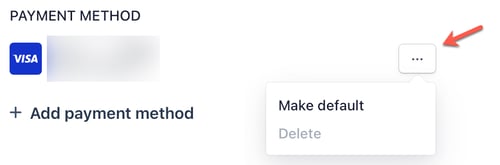
Assign the payment method you would like assigned as the default.
Related articles:
Manage Subscription